
Introduction
The holiday season often means more remote work, travel, and flexible schedules. While this flexibility is great for morale and productivity, it also increases cybersecurity risk. Employees may connect from public Wi‑Fi, use personal devices, or rush through tasks under time pressure—creating openings for phishing, data leaks, and unauthorized access.
For small and midsize businesses (SMBs), a few simple, consistent practices can keep remote and hybrid work secure during the holidays and into the new year.
In This Article
- Introduction
- In This Article
- Understand the Holiday-Specific Risks
- Secure Devices and Home Networks
- Enforce Strong Access Controls
- Protect Collaboration and Communication Tools
- Set Clear Policies for Personal Devices and Home Use
- Train Staff on Holiday-Themed Threats
- Prepare for After-Hours Incidents
- Plan for a Secure Return in January
- Conclusion: Security That Supports Flexibility
Understand the Holiday-Specific Risks
During this time of year, common threats include:
- Phishing spikes: Attackers send fake shipping notices, gift cards, and urgent “HR” messages that look legitimate.
- Public Wi‑Fi risks: Unsecured networks in airports, hotels, and cafes can expose login credentials and sensitive data.
- Personal device use: Staff may use home computers, tablets, or phones that lack proper security controls.
- Rushed behavior: Busy schedules can lead to skipped steps, like ignoring MFA prompts or clicking links without checking.
Awareness is the first line of defense. Make sure your team knows these risks and how to spot them.
Secure Devices and Home Networks
Encourage employees to:
- Keep work devices fully updated (OS, antivirus, and apps).
- Use strong, unique passwords and a password manager.
- Enable full‑disk encryption on laptops and mobile devices.
- Avoid using public Wi‑Fi for sensitive tasks; if necessary, use a trusted VPN.
For home networks, recommend:
- Changing the default router password.
- Using WPA3 encryption (or WPA2 if WPA3 isn’t available).
- Isolating work devices from smart home gadgets (for example, using a guest network or VLAN, similar to the IoT segmentation we discussed in Why Your Small Business Needs a Separate IoT Network).
Enforce Strong Access Controls
Remote access should never be “open” by default. Instead:
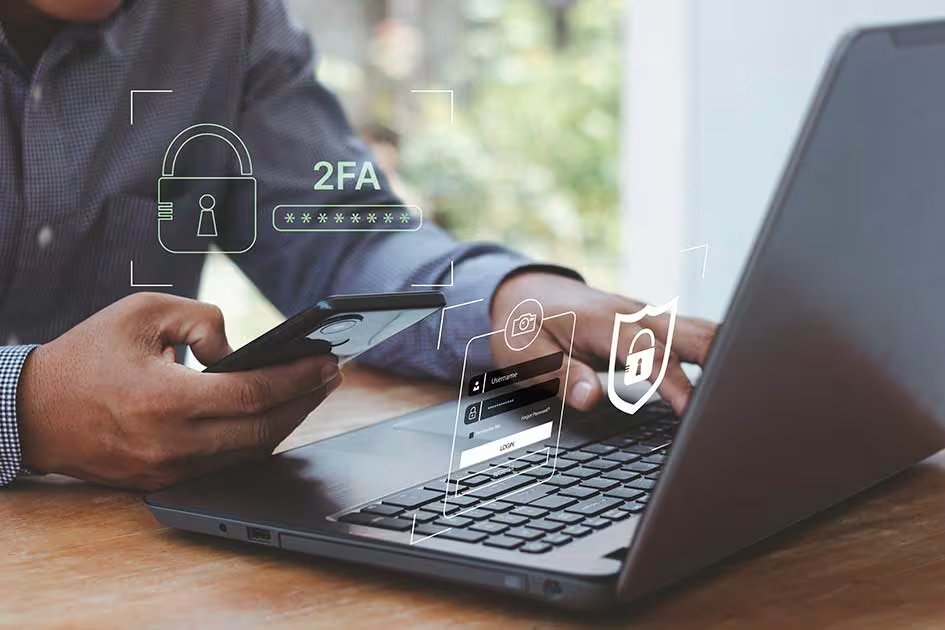
- Require multi‑factor authentication (MFA) for all critical systems (email, cloud apps, RDP, and internal portals).
- Use conditional access policies (for example, block logins from high‑risk locations or unmanaged devices).
- Limit administrative privileges to only those who absolutely need them.
If your team is using AI tools or new SaaS platforms this holiday season, ensure those accounts are also protected with MFA and proper access controls.
Protect Collaboration and Communication Tools
Email, chat, and file sharing are prime targets. To keep them secure:
- Train staff to recognize phishing and social engineering (urgent “gift card” requests, fake invoices, etc.).
- Use email security that includes AI‑driven threat detection and URL rewriting.
- Enable data loss prevention (DLP) rules to prevent accidental sharing of sensitive information.
- Encourage the use of secure file sharing instead of personal cloud storage or email attachments.
If you’re using AI‑powered assistants or chat tools, remind staff not to paste sensitive data (customer info, financials, or internal documents) into public platforms.
Set Clear Policies for Personal Devices and Home Use
Many SMBs allow some level of personal device use (BYOD). To reduce risk:
- Define what types of devices and apps are allowed for work.
- Require device encryption, up‑to‑date security software, and remote wipe capability.
- Use mobile device management (MDM) or endpoint management tools to enforce policies.
- Discourage the use of personal devices for highly sensitive tasks (e.g., payroll, banking, or HR).
If possible, provide dedicated work devices for roles that handle sensitive data.
Train Staff on Holiday-Themed Threats
A short, timely training session can make a big difference. Focus on:
- How to spot holiday-themed phishing (fake shipping notices, fake gift cards, fake HR messages).
- What to do if they suspect a compromise (who to contact, how to report).
- Safe practices for using public Wi‑Fi, personal devices, and home networks.
If you’ve already run phishing simulations this year, consider a quick refresher or a “holiday security quiz” to keep awareness high.
Prepare for After-Hours Incidents
During the holidays, response times can be slower. To minimize downtime:
- Define who is on‑call or available for urgent IT and security issues.
- Ensure your incident response plan includes remote work scenarios (e.g., a compromised laptop or cloud account).
- Confirm that backups are current and that key staff know how to initiate a restore.
- Make sure contact information for your MSP, cyber insurance provider, and legal counsel is easily accessible.
If you’re using a managed IT or cybersecurity provider, confirm their holiday support hours and escalation paths.
Plan for a Secure Return in January
When teams return in the new year:
- Run a quick security check: patch devices, review access, and scan for any unusual activity.
- Remind staff to change passwords or rotate MFA if they used shared or public devices.
- Review any new tools or services adopted during the holidays and ensure they’re properly configured and monitored.
This is also a good time to revisit broader security goals, such as improving AI governance, expanding network segmentation, or strengthening incident response.
Conclusion: Security That Supports Flexibility
Remote and hybrid work doesn’t have to mean higher risk. With clear policies, strong access controls, and a bit of proactive planning, SMBs can enjoy the benefits of flexible work while keeping data and systems secure.
If you’d like help with any of these steps—securing remote access, configuring MFA, training staff, or building a simple incident response plan—ExcalTech’s team is here to support you. We specialize in practical, SMB‑friendly solutions that keep your business protected, even during the busiest times of year.
Contact ExcalTech today to schedule a security review or to build a simple, actionable plan for secure remote and hybrid work in 2026.